Customizing Central's interface
As a Central system administrator, you can customize the appearance of your Central login page to match your organization. This will help users recognize they're on the correct server and feel confident that they're signing into the right place. You can also use the login page to give short updates or inspirational messages to users of your ODK Central server.
The customizations you make are immediately live for your users.
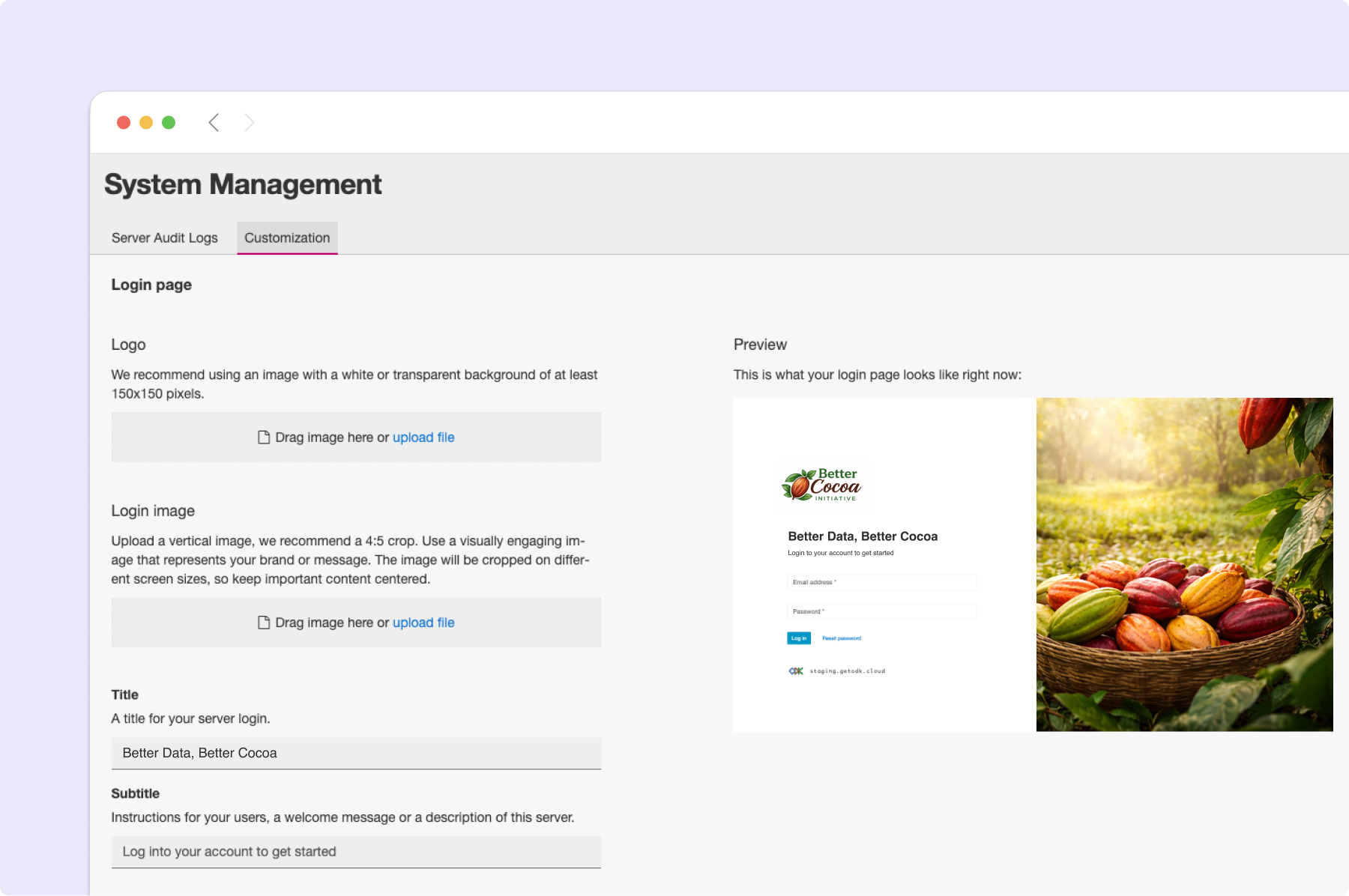
You can clear your customizations at any time to return to the ODK defaults.
The images you select will be downloaded by your users as-is. We recommend sizing them down as much as you can while maintaining high quality.
For the logo, we recommend an image that has a long edge of 500 - 800 pixels. Aim for a maximum download size of 500 KB.
The login image is displayed as large as your users' screens. We recommend aiming for a maximum of 2 MB so the page doesn't take too long to download.